The software the practice uses to run every job, from the fee proposal to the final payment.
Stages, permit applications and deadlines, hours, fee proposals, payments received and external consultants in one place. I designed it as a partner of the practice and built it with Claude Code; today it is our everyday working tool.
The problem
Every job brings with it fee proposals and addenda, permit applications with their deadlines, hours, payments in instalments and the shares of external consultants.
This information changes every week and used to live in different places. Even the simplest questions (what is due this week, what is still to be collected, how much is owed to the consultants) meant piecing it back together by hand.
The solution
A single place to see the practice’s work and move it forward, designed around the rules we actually work by.
I designed it myself and built it with Claude Code. Every job is divided into the stages agreed with the client, and everything else hangs off those stages. It runs locally on the practice’s computer, even without an internet connection, opens on a phone over the office network and backs itself up automatically.
The main features
-
3.1
The dashboard
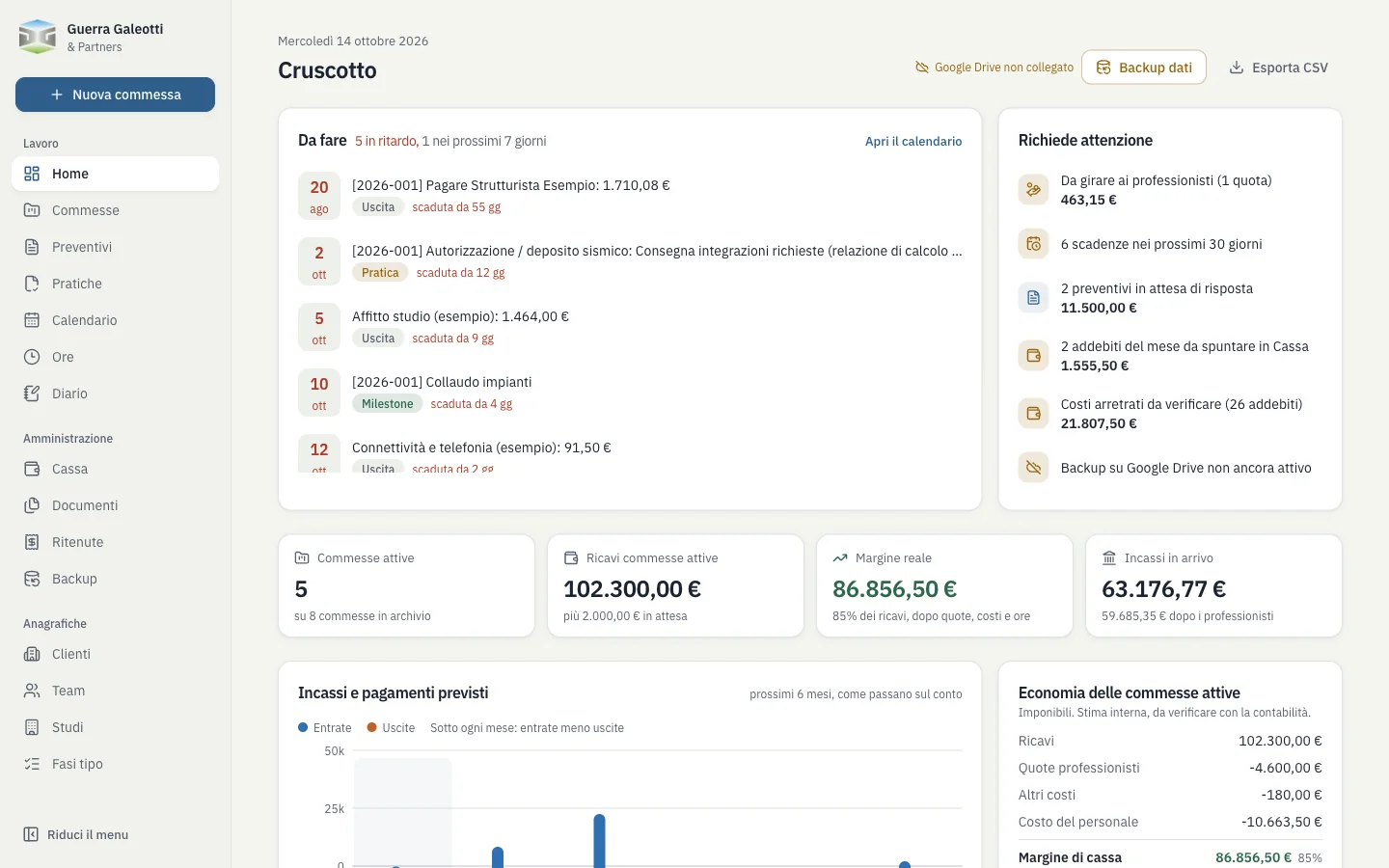
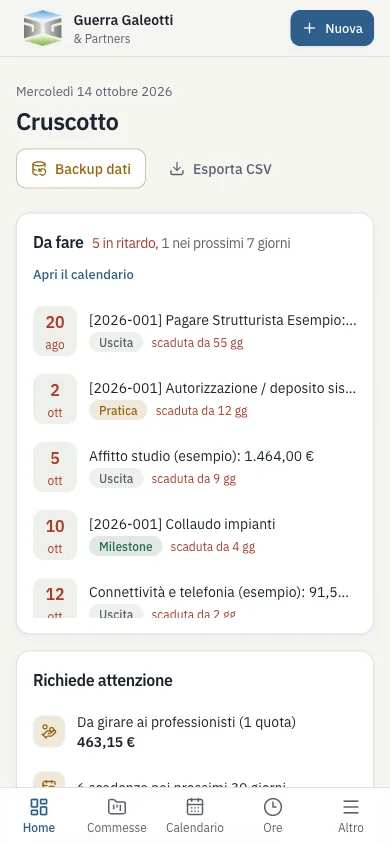
Open the app and you immediately see what needs doing today, without looking for it.
- To do: overdue deadlines and those in the next 7 days
- Needs attention: only what calls for action
- Indicators and a chart of expected payments
-
3.2
The job, divided into stages
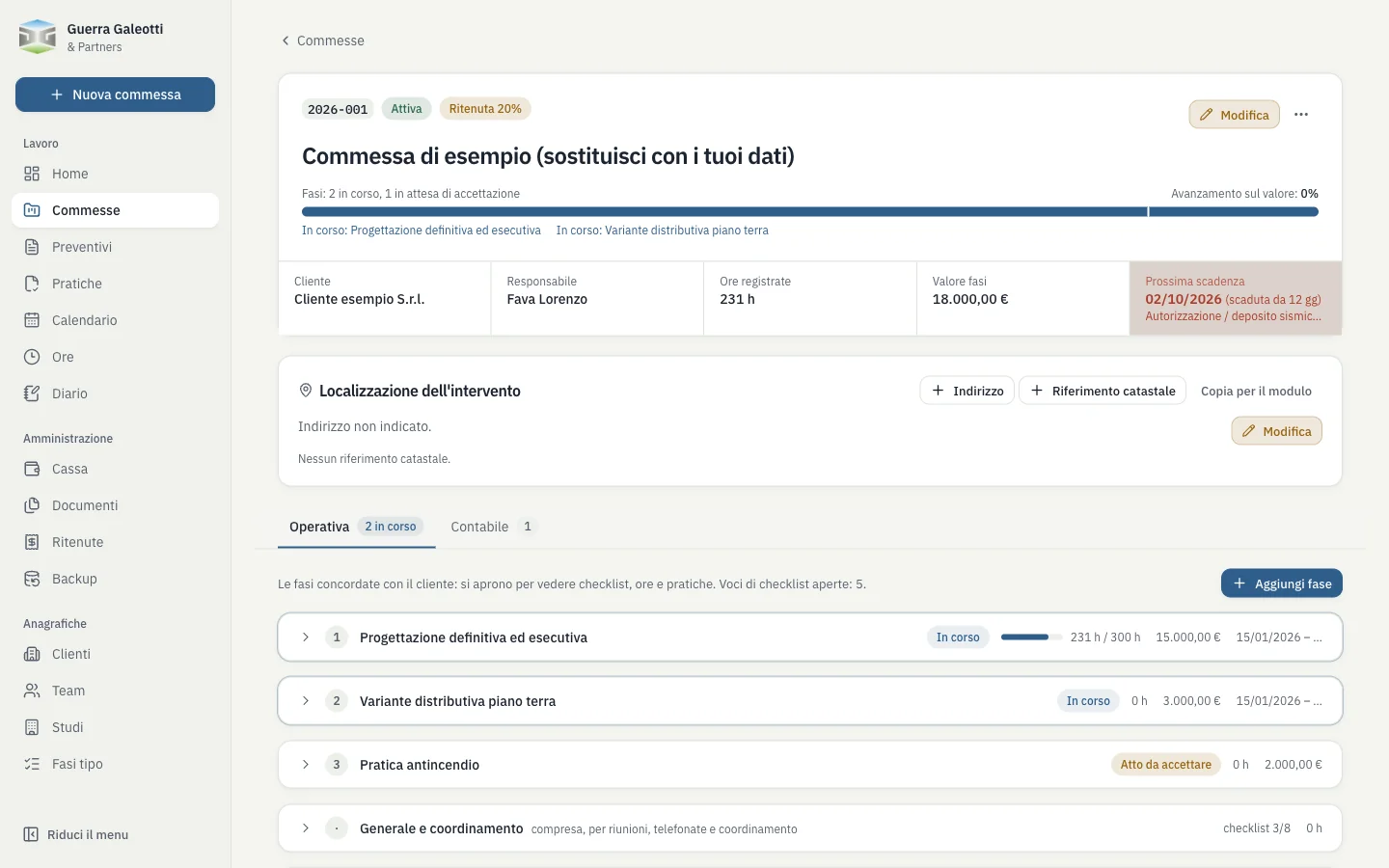
Every job is divided into the stages agreed with the client: hours, permit applications, payments received and payments made all follow from them.
- Operations: status, checklist, hours logged and planned for each stage
- Accounts: revenue, consultants’ shares, cost of hours and margin
- Progress is weighted by the value of the completed stages
Operations 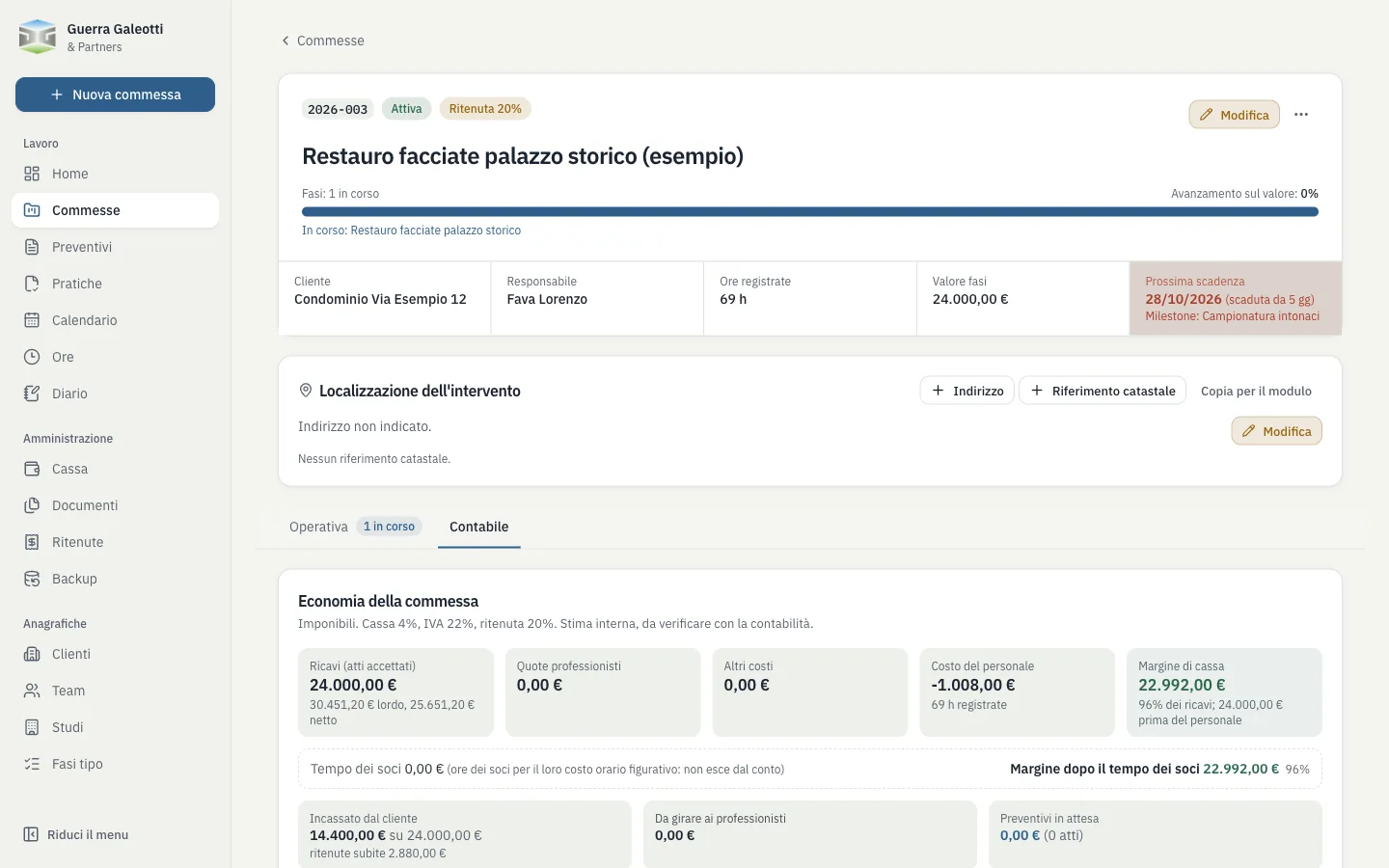
Accounts -
3.3
Fee proposals and addenda
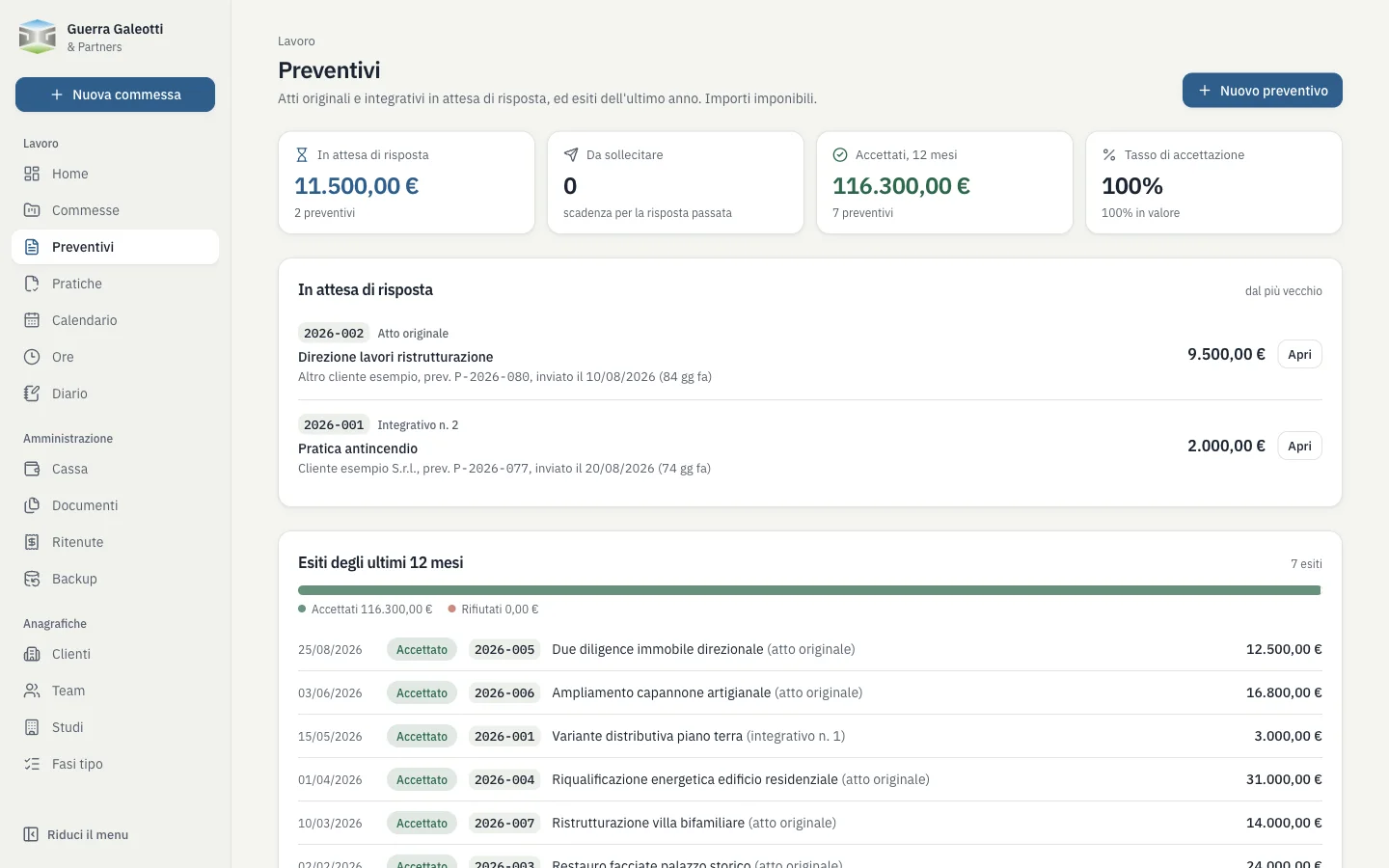
A fee proposal is not yet a job: it becomes one when the client accepts at least one stage.
- Stage-by-stage acceptance, with the agreed amount
- Reply deadline: once passed, the proposal is flagged “to chase”
- Outcomes and acceptance rate over the last 12 months
-
3.4
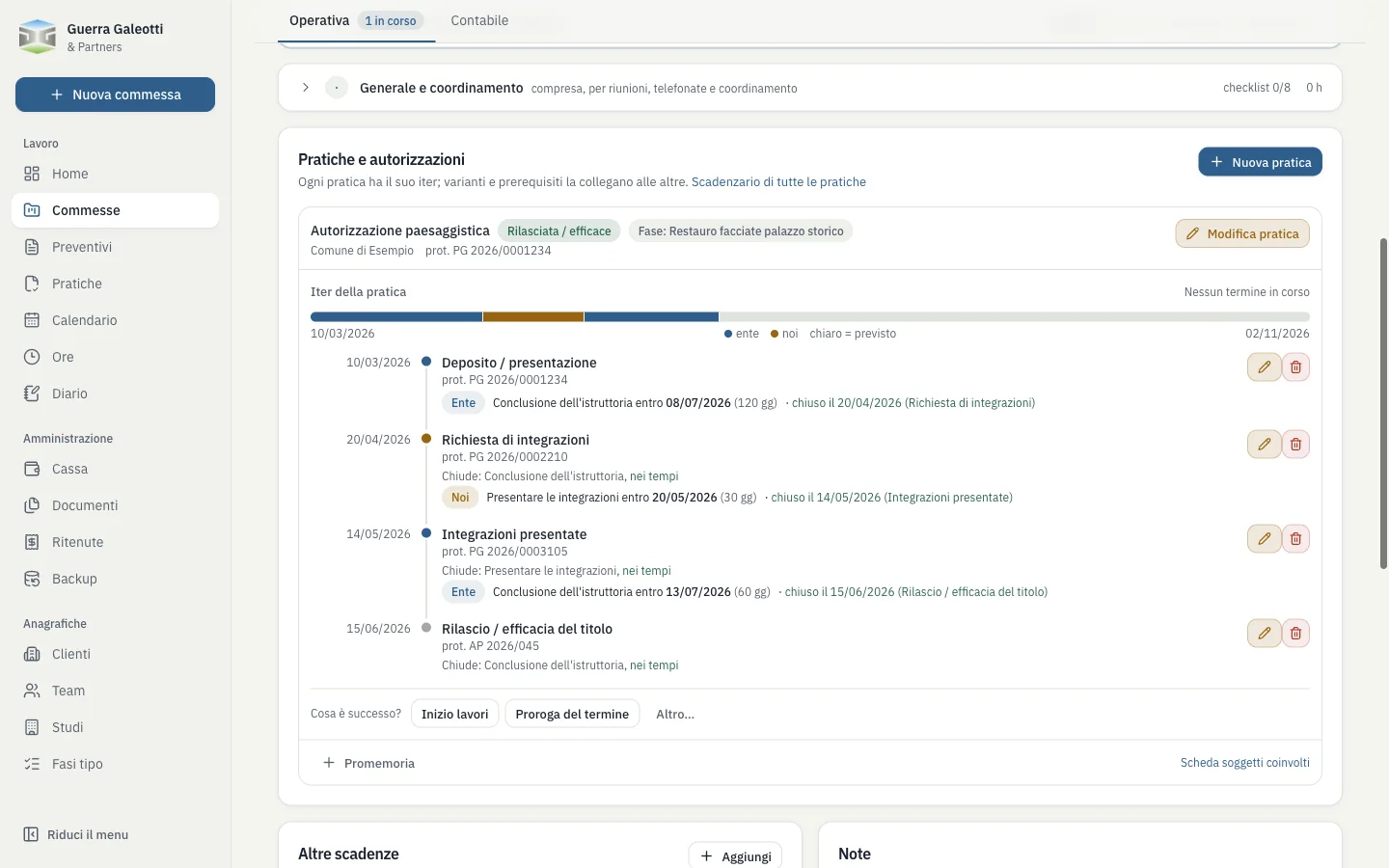
Permit applications and their process
Every building permit application is a sequence of events in date order: submission, additional information, extensions, approval.
- Every deadline shows who has to act: the authority or us
- Correct a date and the following deadlines are recalculated
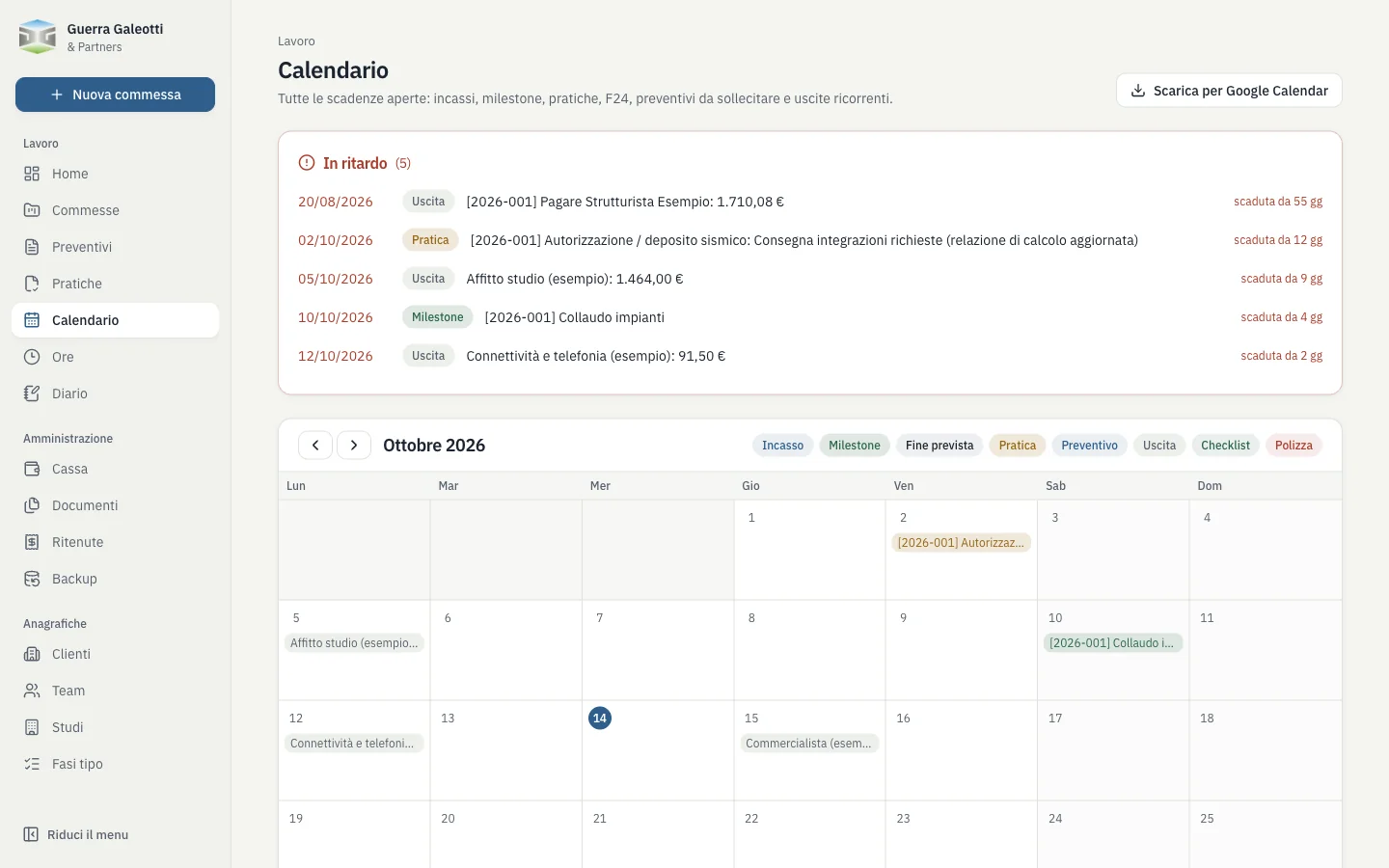
- Open deadlines appear in the calendar and on the home page
-
3.5
Calendar and hours
All deadlines in one view, and time logged against the stage it was spent on.
- Monthly calendar, exportable to Google Calendar
- Hours by person, job and stage
- The hours bar turns amber at 85% of the planned hours and red beyond
Calendar 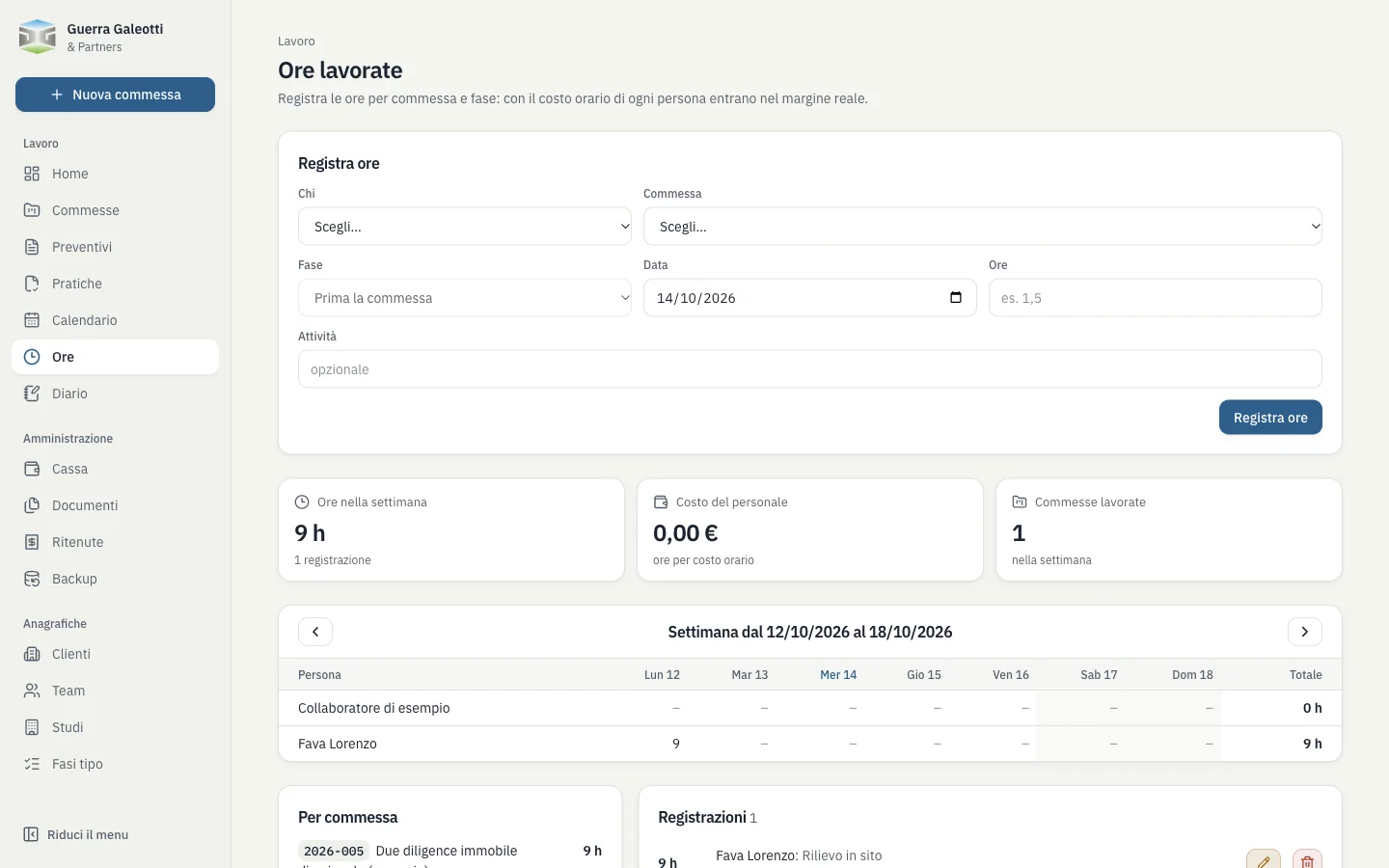
Hours -
3.6
Cash and consultants
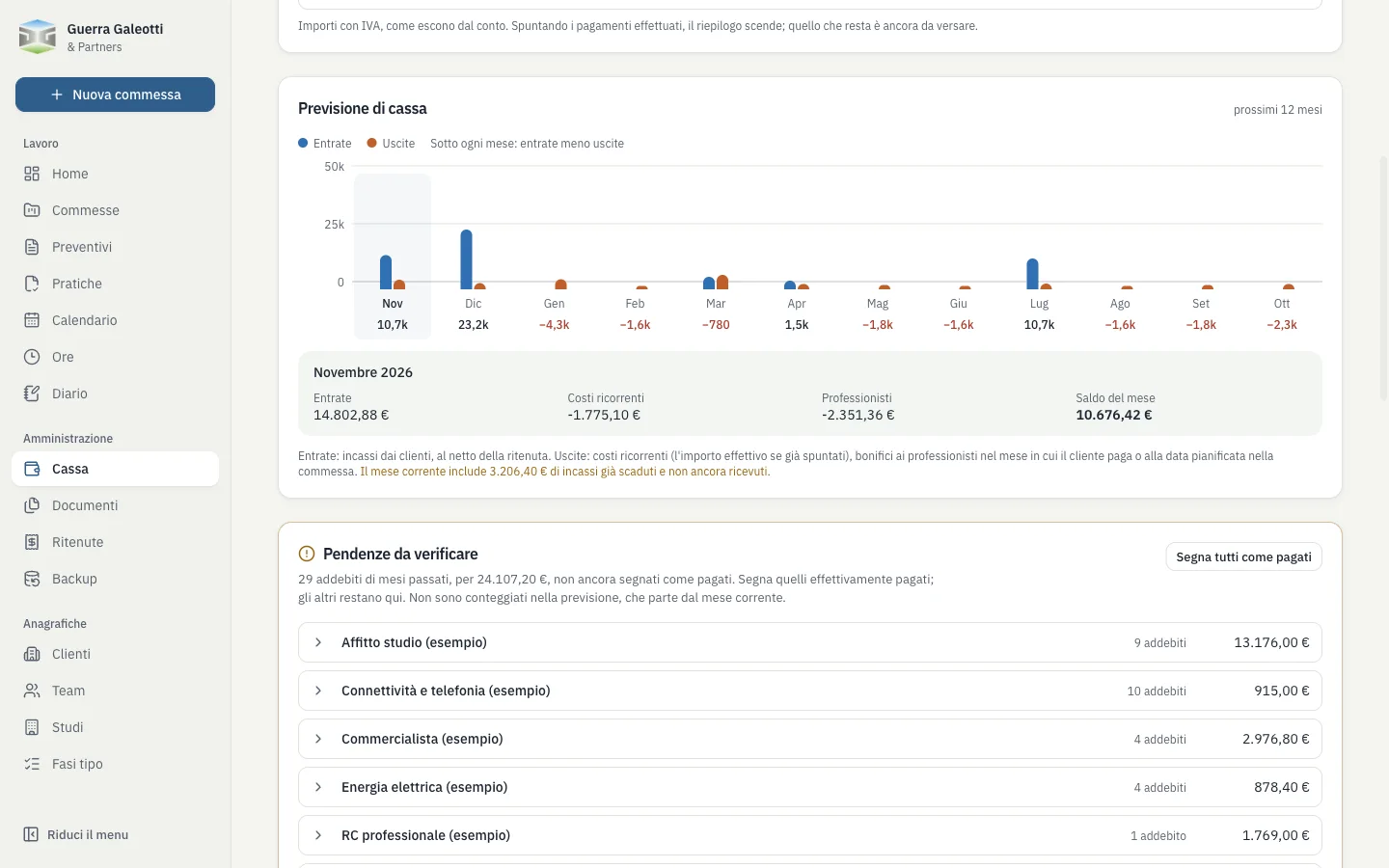
The practice’s accounts, not just the job’s: what comes in, what goes out and what is owed to the consultants.
- Recurring costs and a 12-month cash forecast
- Consultants’ shares paid in proportion to payments received
- Withholding tax deducted and to be paid
Review and refinement
From the first version, on 23 September 2026, to the current one there have been five weeks and 29 revisions of the data structure.
Each feature went into use as soon as it was ready, tested on real cases; whatever did not work in everyday practice was rewritten or removed.
An example: permit applications
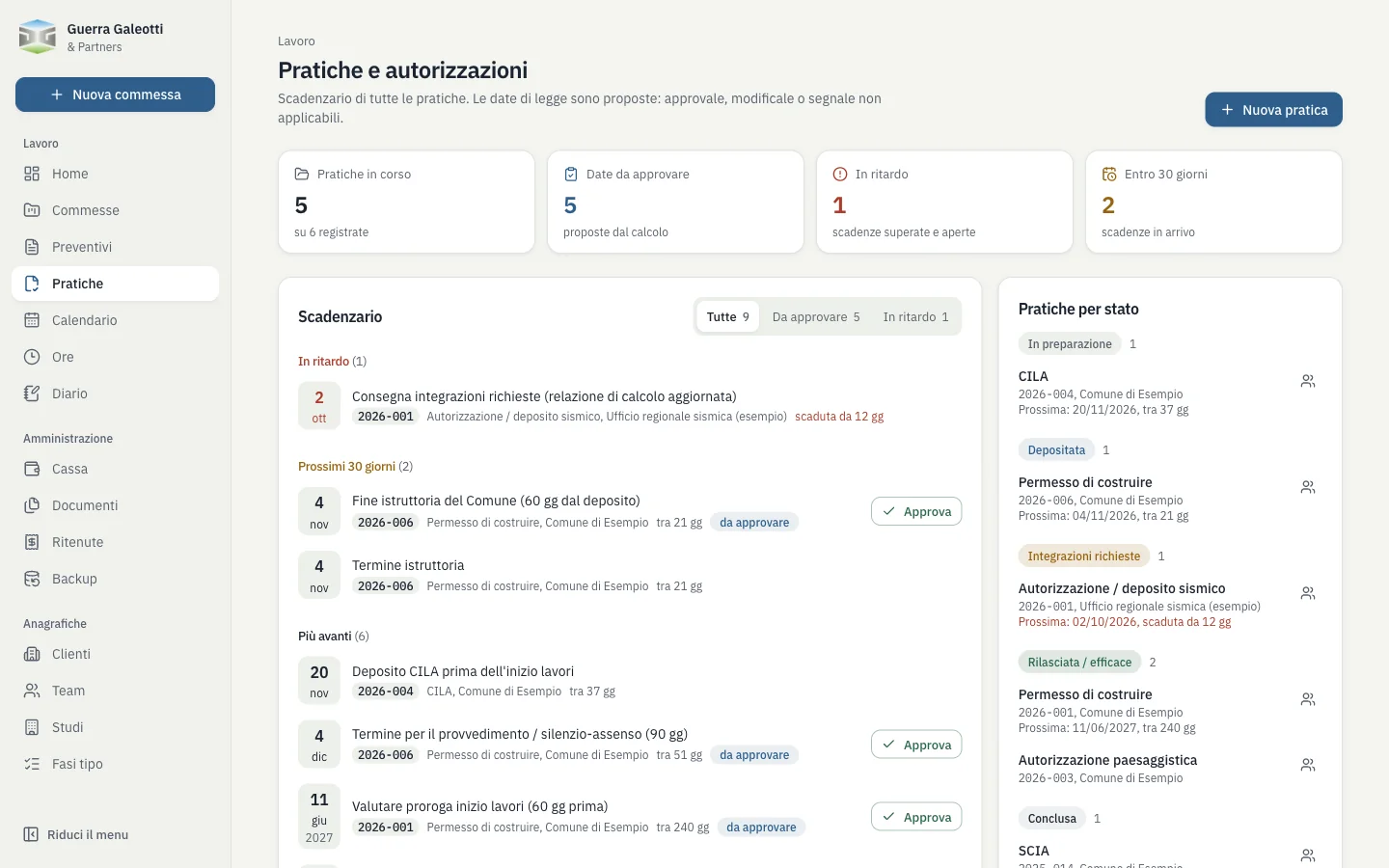
Real deadlines depend on requests for information, extensions and suspensions: rather than correcting a calculation, it is better to record what actually happens.
- First version: jobs, agreements and fee proposals, consultants
- Withholding tax, clients, permit applications and hours
- Recurring costs and VAT: the cash module is born
- The job is split into stages, operations and accounts
- Percentage-based fees, location and land registry data, billing profiles
- The permit application process and links between applications
- Stage-by-stage acceptance and reply deadlines for fee proposals
- Invoicing workflows
The result
- Revisions
- 29
- Weeks of development
- 5
- Where it runs
- in the office
- External services
- none
Today it is the tool the practice uses to run its jobs: a single source for deadlines, payments in and payments out, from the office computer and from a phone on site. The data stays in a single file on the practice’s computer, with a copy at every start-up and one every hour on Google Drive.
How I built it
- The rules are mine. I defined the workflow, the checks and the edge cases myself, based on how we really work.
- Claude writes the code. One feature at a time, with Claude Code, describing the problem and reviewing the solution.
- Checking stays with me. Every feature is tested on real cases before it goes into everyday use.
The screenshots use sample data only: the data of the practice, its clients and its real transactions remain confidential.
Guerra-Galeotti & Partners
Associated engineering practice, Bologna
Management software
Job management.
From fee proposal to final payment
Designed by
Lorenzo Fava
Built with
Claude Code
Screenshots
Sample data only
Year
2026
Document
Job management
Stages, permits, hours, fee proposals, payments